How can I setup my bank account for online rent collection?

After adding the bank account by clicking the "+" icon on the right side of your page, then select this bank account to activate the action drawer. From the action drawer choose the "Setup for Online Processing" link.
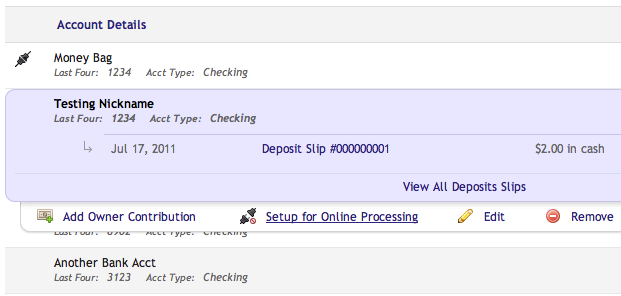
This will take you to a basic form with some preliminary information about your company. After you submit this, you will receive an email with the full details of setting up your account. We will need to underwrite your company and bank account and you will be good to go.
Please note this generally takes about a week or so of processing time. If you have any questions, as always, please feel free to click the feedback tab on the side of your page and email support.
Please sign in to leave a comment.
Comments
0 comments