How can I cancel my tenant account?

Canceling your tenant account is entirely optional.
Your tenant account is your account to keep if you wish. This may be useful for referencing past payment history and the overall history of your rental. Additionally, you may rent from another property manager that uses RentPost and you'll be able to tie your new rental to your existing account.
One of the common reasons for wanting to cancel your account is to stop AutoPay. If this is your goal, please check out the article on disabling AutoPay.
Additionally, you can remove your existing payment profiles under your billing tab.
Lastly, if you're wanting to cancel because you're still getting notifications. You should ask your property manager to update their records accordingly. If you've moved out of your rental, they should have you updated on their end as moved out.
--
If you're still wishing to cancel your account, you can do so from the user menu at the top right, after signing into your account. Simply click on the avatar, or your initials and then "Manage your Account".
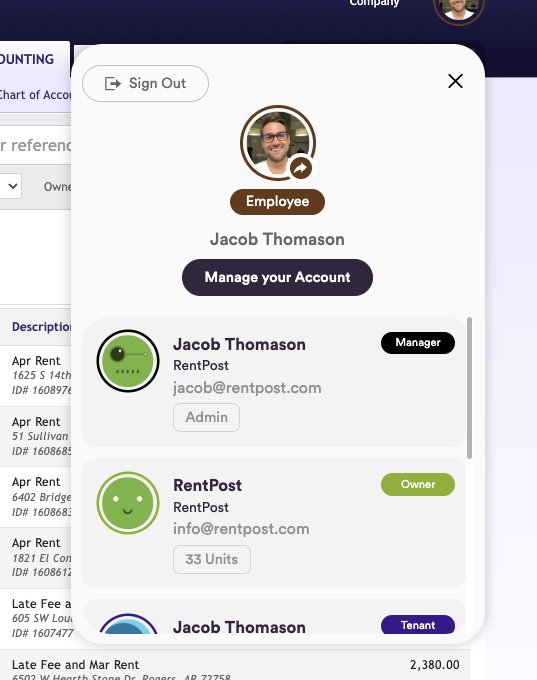
After you get to the account app, you have 2 options. You can remove the tenant role, which will disassociate the tenant role from your user account - still leaving you with a user account, just no longer any access or association with a tenant role. To do this, you'll go to the "Roles" page from the top menu, click the menu icon for the role on the right with the 3 dots, and choose "Remove"

Alternatively, you can cancel your entire user account with RentPost and terminate all access, from the "Account" page. In the right column, you'll simply select the "Close Account" button.
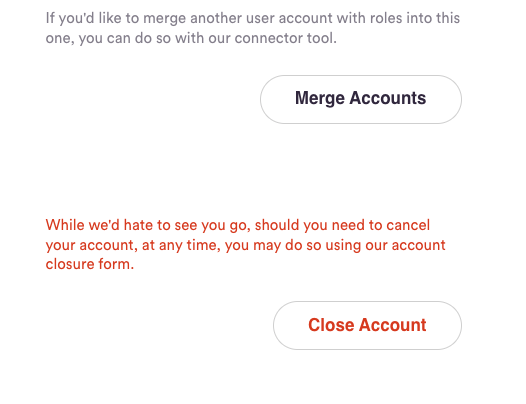
Please note: this will disable online access to your account. However, the data associated with it is tied to your management company's records as well as historical payment records, required for financial auditing.
Please sign in to leave a comment.
Comments
0 comments